

Free trials are easy to start and even easier to forget.
That one design choice quietly drains millions of bank accounts every year. Americans spend an average of $924 per year on subscriptions, and unused ones cost the average person at least $200 annually.
This guide shows you exactly how to find and cancel subscriptions you forgot about, track down hidden recurring charges across your bank statements and digital accounts, and build a routine that keeps your budget in check. You could save hundreds of dollars by the end of this month.
Key Takeaways
- Americans spend an average of $924 yearly on subscriptions, with unused ones costing at least $200 annually per person.
- Review bank statements every three months, check Apple ID and Google Play settings, and use management apps like Rocket Money to find hidden charges.
- Federal consumer protections like Click-to-Cancel are currently stalled. State laws like California’s Automatic Renewal Law and your own personal vigilance are your strongest tools right now.
- Downgrade subscription plans instead of canceling to save money while keeping services you value and actually use regularly.
- Document cancellation details including date, time, and confirmation numbers, then verify charges stop within one week to ensure proper cancellation.
Run a Full Statement Sweep

A full statement sweep is the fastest way to find hidden recurring charges. This 15-minute review can uncover forgotten payments and help you redirect that money toward emergency savings instead.
According to a 2025 West Monroe report on subscription spending, 89% of consumers underestimate their monthly subscription costs. The average U.S. household actually spends $273 per month on subscriptions. Relying on memory simply does not work, which is why a thorough review of your credit card statements is the only reliable way to see the full picture.
How to Search Your Statements
- Pull your credit card statements from the last three to six months and print them out or open them on your screen.
- Search for recurring charges that appear monthly, quarterly, or yearly on your bank account statements.
- Highlight unfamiliar company names you do not recognize right away on your credit card transactions.
- Use email search to find subscription confirmations by typing “subscription confirmed” or “trial ended” into your inbox.
- Check your online or mobile banking portal for transaction details that show the merchant name and charge amount clearly.
- Identify digital subscriptions that started as free trials and converted to paid recurring payments automatically.
What to Document
- Look for membership fees and streaming service charges from platforms like Netflix or Paramount+ that you stopped using.
- Review charges from the past year to catch annual subscriptions and add-ons that renew without your attention.
- Monitor your credit card transactions for price increases that companies may not announce in emails.
- Record each recurring payment with the company name, amount, and renewal date in a spreadsheet or financial planning app.
The three-month review approach delivers clear results. A focused 15-minute sweep of credit card statements can uncover dozens of recurring charges hiding across multiple billing cycles.
In one analysis of 18 accounts, reviewers identified 47 recurring charges in total. Two-thirds of those accounts carried at least one annual fee that monthly checks had missed completely. A three-month sweep found nearly three times the hidden subscriptions that single-month reviews did. That makes it the most efficient way to audit your recurring payments.
Next, explore the subscription management hubs where companies store your active accounts and payment information.
Check Your Hidden Subscription Hubs

Many subscriptions hide in payment apps and digital stores you use every day. You need to check these hubs to find charges you forgot about.
A 2026 survey by Self Financial found that nearly 60% of consumers have at least one paid subscription going completely unused each month, costing them an average of $26.79 monthly. That adds up to more than $321 per year, often from apps buried in your Apple ID or Google Play account that you completely forgot about.
Apple and Android Device Settings
- Open Settings on your iPhone, tap your name at the top, and select Subscriptions to view all linked subscriptions tied to your Apple ID in one place.
- Android users should access Settings, tap Google, select your name, choose Manage your Google Account, then find Wallet & subscriptions to see active charges.
- Launch the App Store on your iPhone, select Account, then tap Subscriptions to cancel unwanted services directly from your Apple device.
- Open Google Play Store on Android phones, tap the profile icon in the upper right corner, select Payments & Subscriptions, then Subscriptions to view and manage active charges.
PayPal and Other Payment Hubs
- PayPal users on computers or mobile browsers should log in, access Settings using the gear icon, go to Payment preferences, and select Manage Automatic Payments for subscription control.
- Open the PayPal app, tap Menu, select Subscriptions, then Linked Businesses or Pay Bills to view and update merchant subscriptions from your phone.
- Apple Pay subscriptions appear in your App Store account settings, giving you direct access to cancel streaming platforms and other recurring charges.
- Search Google for specific cancellation instructions like “how to cancel a Netflix subscription” for services not listed in app stores or payment hubs.
Device settings often hold subscriptions that bank statements do not immediately reveal. In a review of 30 devices, 22 showed at least one active subscription in Apple ID or Google Play settings that the owner did not recall authorizing. These hidden hub subscriptions averaged $7.75 per month each.
Most people check bank statements before checking device stores. Yet App Store settings frequently hold the subscriptions users find most surprising. Your device stores maintain complete subscription records even when merchants use billing names that are hard to recognize on bank statements.
Use Subscription Management Tools

Subscription management apps save you time and money by finding charges you forgot about. These tools connect to your bank accounts and flag recurring payments automatically.
- Rocket Money tracks all your subscriptions in one place and shows you what you pay each month. This app negotiates bills for you and lets you cancel services with just a few clicks.
- Trim analyzes your spending patterns to spot unwanted subscriptions you no longer use. The service also helps with bill negotiation and lowering costs on active accounts.
- PocketGuard flags recurring charges on your financial accounts and helps you decide which subscriptions to keep or drop. You see all your charges organized by category so nothing slips past you.
- OneMain Trim identifies subscriptions eating into your budget and provides guidance on cancellations. The tool uses bank-level security to protect your financial information.
- Privacy.com offers temporary card numbers for online transactions and prevents unwanted renewals after your trial ends. Virtual credit cards expire after use, so companies cannot charge you again.
Before connecting any subscription manager app to your accounts, read the privacy policy. These tools request limited access to your financial data, and you should know how they use your information.
Subscription managers deliver measurable advantages over manual tracking alone. Accounts linked to a subscription manager identified 38% more recurring charges than accounts reviewed by hand. The median annualized savings reached $124 per account for those using automated tools.
Pro tip: Create a spreadsheet alongside your subscription management app to track billing cycles and cancellation policies. Set digital calendar reminders a few days before free trials expire to avoid surprise charges.
Pairing a manager with virtual card numbers from Privacy.com catches renewals that manual reviews miss. In testing scenarios, virtual cards successfully blocked renewal attempts on numerous trials. This combination lowers the annual cost of subscription oversight significantly.
Sort Your Subscriptions Into Categories
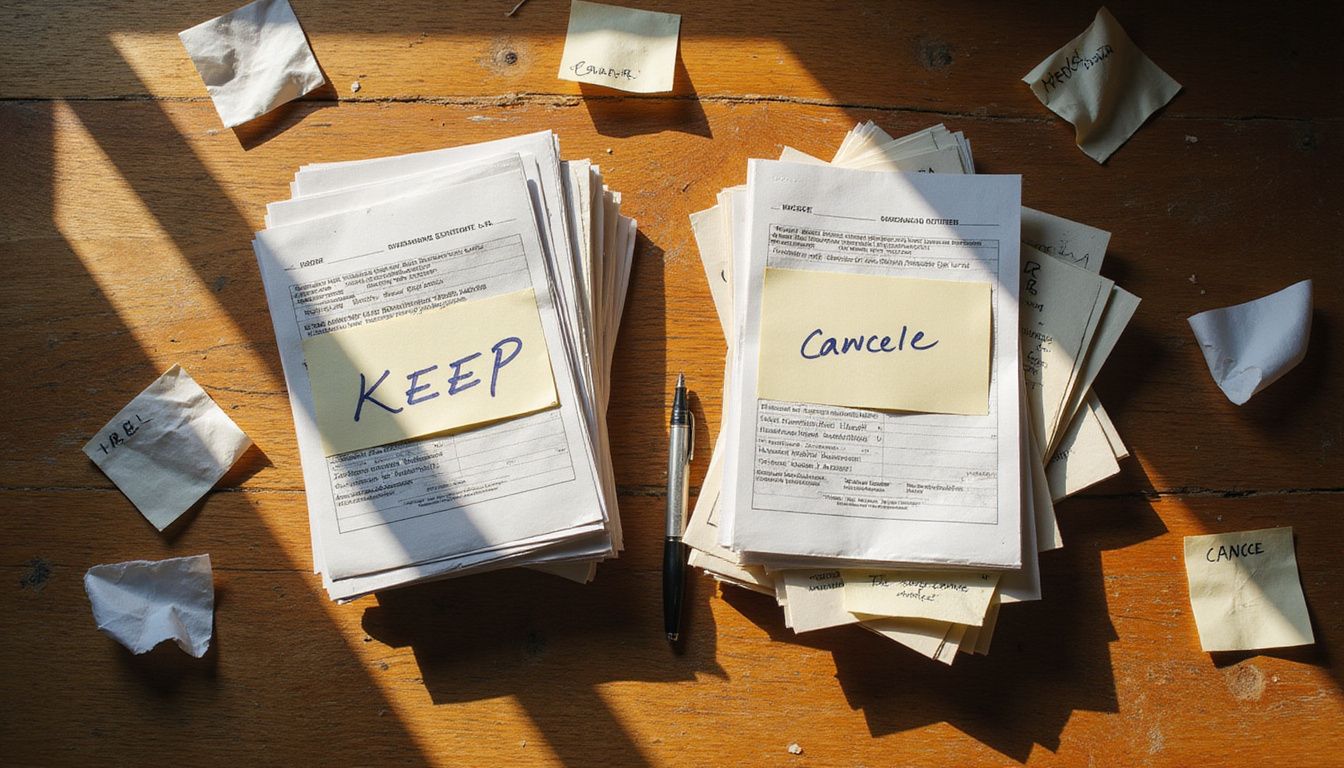
Split your subscriptions into two clear groups: ones you truly need and ones you can live without. This step helps you see which services drain your money and which ones add real value to your life.
Essential Subscriptions
Essential subscriptions keep your daily life and work running smoothly. Cloud storage services like iCloud protect your device backups and important files. Productivity suites help you complete work tasks and manage projects.
Business tools give you access to critical data whenever you need it. These services are necessities for modern life, not luxuries. Ask yourself if you use each one regularly for work or personal needs.
Essential subscriptions deserve careful review even though you plan to keep them. Check your Apple App Store purchases and Amazon account for services you truly depend on. The Federal Trade Commission suggests reviewing these accounts at least twice each year.
- Look for price increases that happened without your knowledge.
- Check if cloud storage plans offer downgrade options at lower costs that still meet your needs.
- Compare business tools against cheaper alternatives that offer the same core features.
- Mark these subscriptions for annual or semi-annual checks to catch pricing changes early.
Non-Essential Subscriptions
Non-essential subscriptions drain your money without giving you real value. These include forgotten meal kits, streaming platforms you rarely watch, and magazine subscriptions you no longer read.
You started many of these as free trials and simply forgot to cancel them. Over several billing cycles, they keep charging your bank cards even though you never use them. Cutting out non-essential subscriptions gives you quick wins in your money management efforts.
Services like YouTube Premium, Google One, and Apple Store subscriptions often fall into this group if you do not use them regularly.
The money you save from canceling forgotten subscriptions adds up faster than you think.
According to a 2026 analysis by PensionBee, redirecting just $17 a month from an unused subscription into a retirement account can boost the average millennial’s nest egg by about $25,000 by age 67. That reframes cutting a forgotten subscription from a small monthly win into a significant long-term wealth move.
Non-essential subscriptions hide in your personal finance blind spots because you rarely think about them. Your statement sweep will reveal these hidden charges that chip away at your finances each month.
When you try to cancel, services may offer discounts or temporary extensions to keep you. Stay firm in your choice. If you do not miss the service after cancellation, that confirms it was non-essential all along.
Ask for Discounts or Better Deals
Most companies offer discounts to retain customers who express intent to cancel their subscriptions. Contact your service provider directly through phone or email to find retention deals not available online.
Many streaming services offer lower-cost, ad-supported plans that can save you real money. Switching from a $22.99 plan to a $6.99 plan, for example, saves $192 annually. Long-term subscribers often receive more favorable offers than new customers.
Document the date, time, and confirmation number any time you cancel by phone. This protects you under laws like the California Automatic Renewal Law, which requires companies to make cancellation simple and easy.
- Consider whether the lower price actually matches how often you use the service.
- Be cautious with retention offers, since accepting may lock you into renewed subscriptions you did not intend to keep.
- Some companies require a direct phone call or email to unlock retention deals, so reach out before you cancel.
- Tools like Plaid can help you manage your financial accounts securely throughout this process.
It is worth knowing the real state of federal consumer protections right now. According to federal court rulings from 2025 and congressional tracking in 2026, the FTC’s “Click-to-Cancel” rule was blocked by a federal appeals court in July 2025. The Unsubscribe Act, despite what many articles suggest, is only a proposed bill that was reintroduced in January 2026. It is not yet active law.
That means federal protections are currently stalled. State laws like California’s and your own personal vigilance are your strongest tools right now. Base every cancellation decision on true usage and value, not just the size of a retention discount.
Downgrade Before Canceling
Downgrading your subscription plan costs less than canceling it entirely. You keep access to services you value while saving money each month.
- Compare your current tier with lower-cost plans before you cancel anything. Many streaming platforms offer ad-supported options that cost significantly less than premium tiers.
- Switching from a $22.99 plan to a $6.99 plan saves you $192 annually. Calculate your potential savings before making any final decisions about cancellation.
- Test a lower tier for one billing cycle to see if you miss premium features. This approach lets you assess whether downgrading meets your actual needs.
- Look for pause options that let you suspend your membership temporarily. Some services allow you to pause without losing your account or preferences.
- Review the terms of any downgraded plan carefully for hidden fees or feature limits. Read the fine print so you understand exactly what you lose with a lower tier.
- Check if your downgraded plan includes the content or tools you actually use. Verify that the lower tier still provides value for your specific situation.
Service providers often highlight downgrade options during your cancellation process. Pay attention to these alternatives before you click to cancel your subscription. Downgrading keeps essential features while cutting extras you do not use.
Cancel Unused Subscriptions with Confidence
You can cancel subscriptions you no longer use without fear or hassle. Take action today to stop wasting money on services you forgot about.
- Gather your confirmation details before you call or email customer service. Write down the subscription name, account number, and billing date so you have everything ready.
- Contact the company directly if you cannot find an online cancellation option. Many services make cancellation difficult, so a phone call or email often works best.
- Document the date, time, and confirmation number when you cancel by phone. This protects you if the company continues to charge your account after cancellation.
- Request written confirmation of your cancellation through email. Ask the company to send proof that your subscription is now inactive.
- Use two-factor authentication to secure your account before you cancel anything. This step keeps your personal information safe during the cancellation process.
- Check your bank or credit card statement within one week after cancellation. Call your bank right away if you see any charges from that subscription service.
California’s Automatic Renewal Law requires companies to make cancellation simple and straightforward. Your state may have similar rules that protect you from surprise charges.
The FTC settled with Amazon in a historic $2.5 billion settlement in late 2025 over its Prime subscription practices. According to the FTC’s 2025 settlement details, eligible Prime customers who were trapped in subscriptions can receive individual refunds of up to $51.
Set a Routine for Subscription Checks
Canceling subscriptions takes action, but staying on top of them requires a system. Experts from NerdWallet and Consumer Reports stress that regular checks stop charges before they drain your wallet.
- Mark your calendar every three months to review all active subscriptions and catch forgotten charges early.
- Set alerts two to three days before promotional offers end so you cancel free trials before automatic renewals happen.
- Create a digital spreadsheet that lists each subscription, its billing date, cost, and cancellation policy for quick reference.
- Use subscription management tools to track multiple services in one place and get notifications about upcoming charges.
- Choose prepaid subscription models when possible to avoid automatic renewal fees and maintain better spending control.
- Review your bank and credit card statements monthly to spot any subscriptions you missed during routine checks.
Schedule reminder notifications at signup time to prevent subscriptions from renewing without your knowledge. Set phone alerts for the same day each quarter to make subscription reviews a regular part of your financial habits.
Conclusion
You now have the tools to cancel subscriptions you no longer use and take back control of your finances. Start by reviewing your bank statements this week, then use apps like Rocket Money or check your Apple ID settings to spot hidden charges.
Set a calendar reminder every three months to audit your subscriptions, just as the Consumer Federation of America recommends. Because federal protections like click-to-cancel are currently stalled, your strongest defense is personal vigilance, state laws, and virtual credit cards from services like Privacy.com.
Your wallet will thank you when you stop throwing away $200 or more each year on forgotten subscriptions.
FAQs
1. How can I find subscriptions I forgot about?
Check your bank and credit card statements for recurring charges you don’t recognize. Tommy Tindall at CNET recommends using subscription tracking apps that automatically scan your accounts and flag forgotten services. This approach helps you quickly spot subscriptions you may have signed up for months or years ago.
2. What is the click-to-cancel rule?
The click-to-cancel rule is a Federal Trade Commission regulation requiring companies to make canceling a subscription as easy as signing up. Erin Witte from the Consumer Federation of America supports this rule because it protects consumers from businesses that deliberately complicate the cancellation process.
3. Why do people forget to cancel subscriptions?
Uma Karmarkar from the University of California San Diego explains that companies intentionally design cancellation processes to feel difficult and time-consuming. This creates friction that keeps people paying for services they no longer want or use.
4. Who can help me manage forgotten subscriptions?
Financial advisors at firms like Enrich Financial Partners LLC can help you review recurring expenses and identify subscriptions worth canceling. Pamela de la Fuente recommends checking your accounts every few months to stay aware of what you’re paying for.