

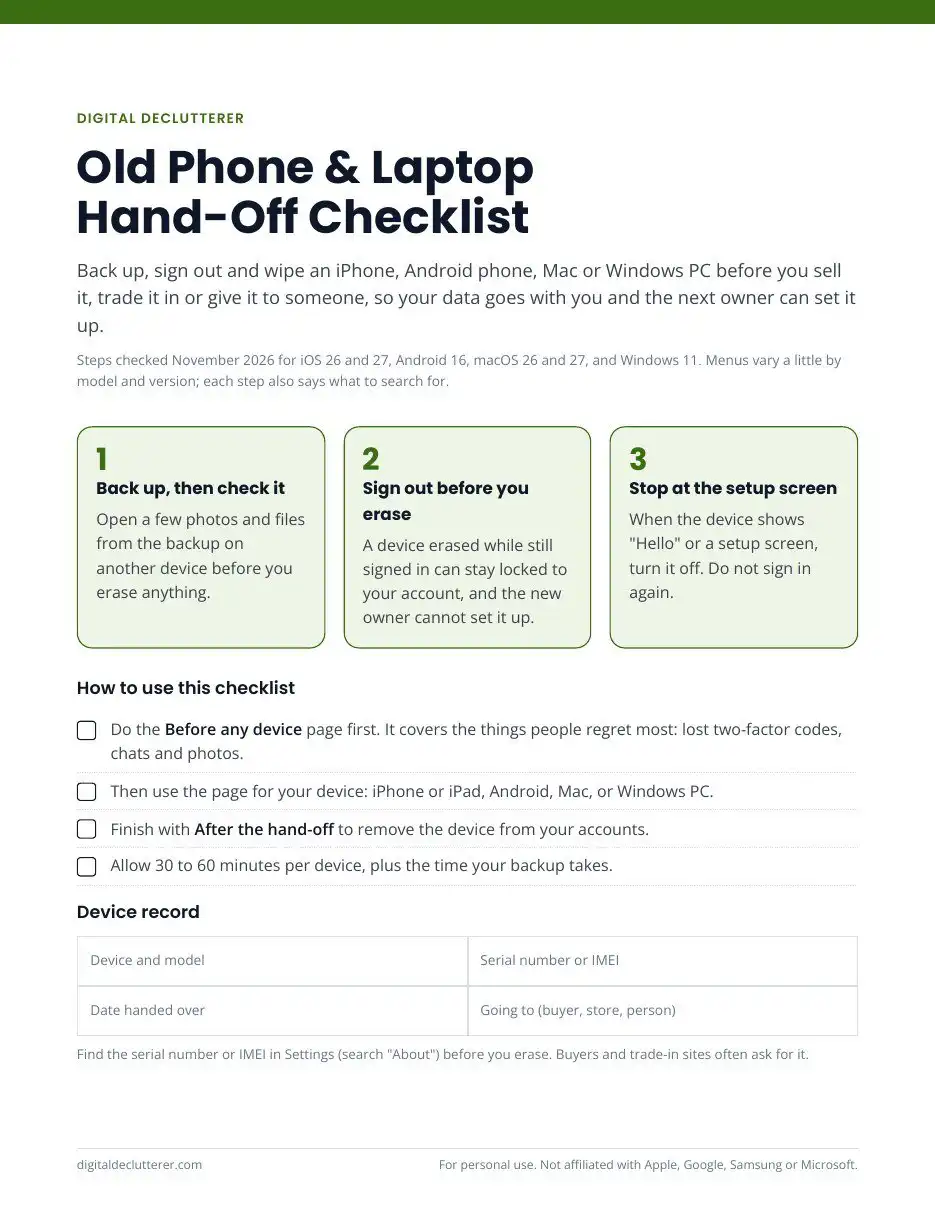
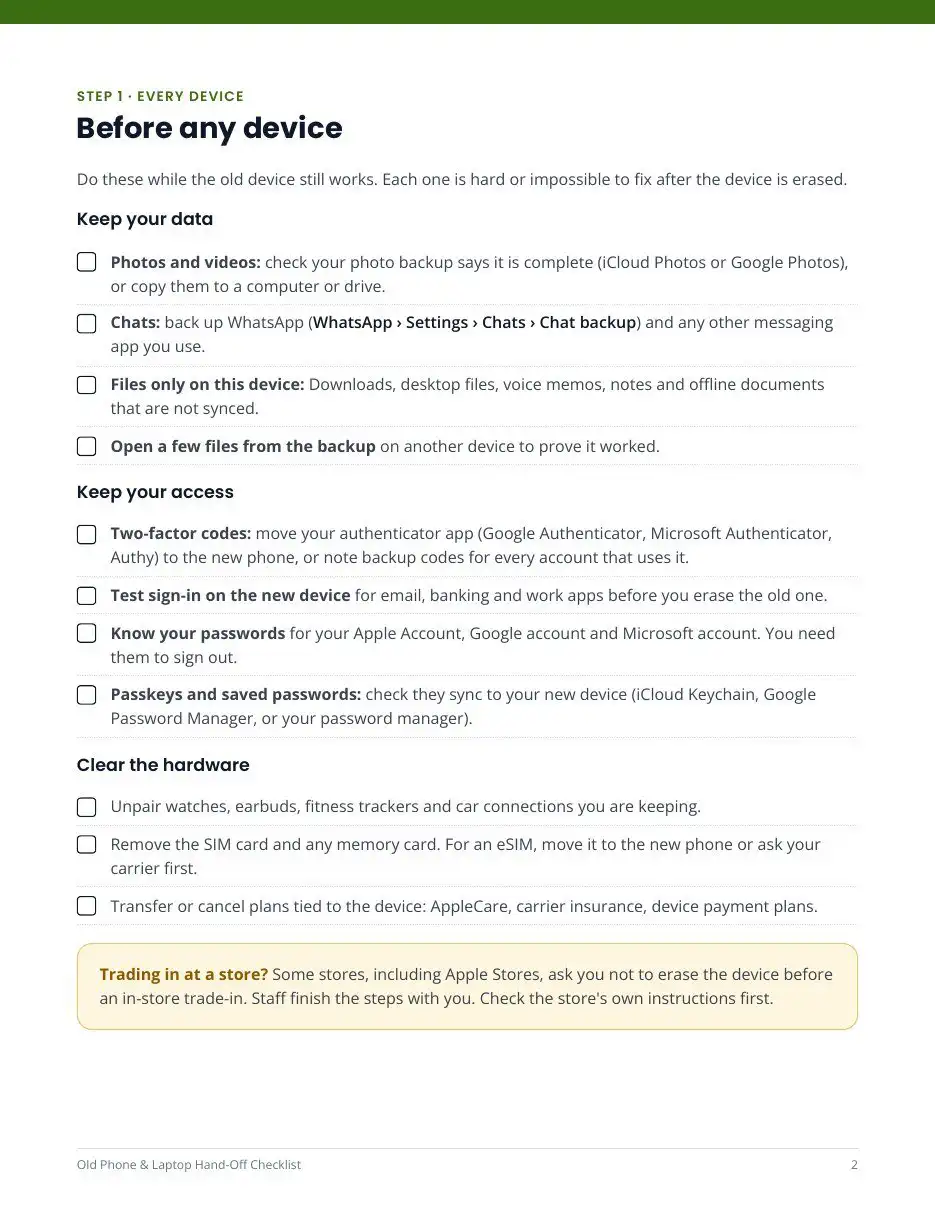
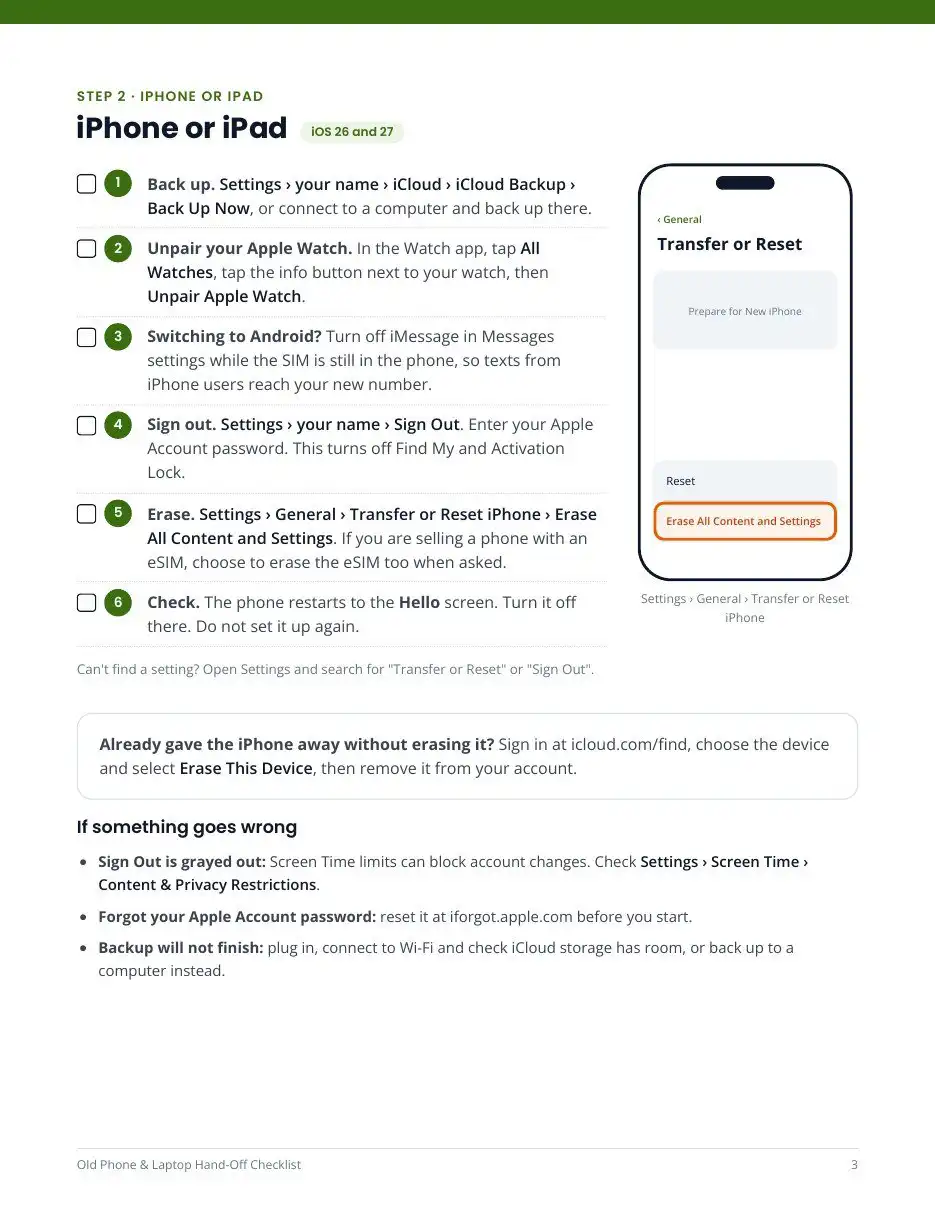
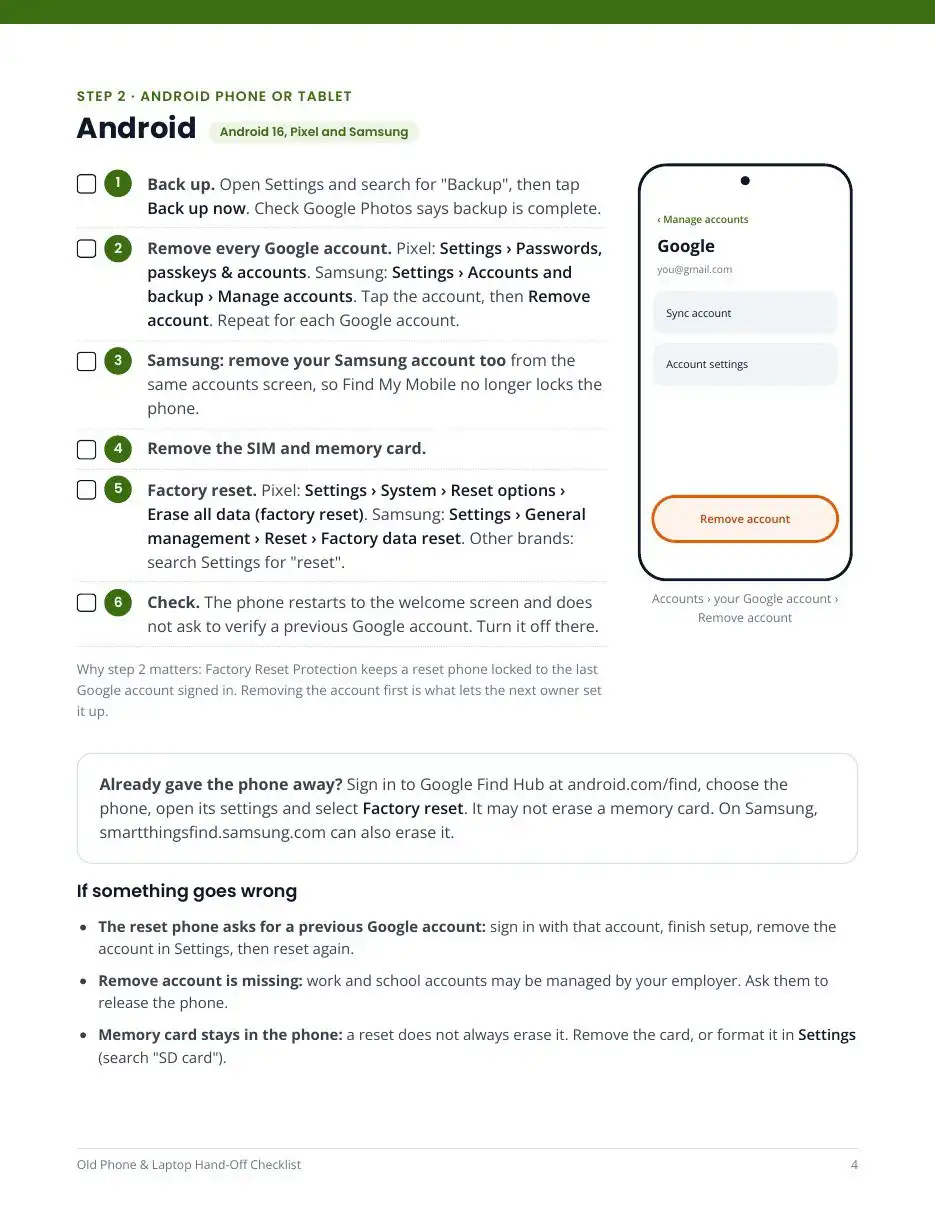
Before you sell, trade in or give away a phone or computer: back up and check the backup, move your two-factor codes, sign out of your Apple, Google, Samsung or Microsoft account, then erase from Settings. This 7-page printable checklist puts every step in that order for iPhone, iPad, Android, Mac and Windows, so you keep your data and the next owner is not locked out.
Skip a step and two things usually go wrong: the authenticator codes for your email and bank vanish with the old phone, or Activation Lock and Factory Reset Protection lock the device to your account so the buyer cannot set it up.
What is inside
- Three rules that prevent the most common mistakes, plus a device record for the serial number or IMEI
- Before any device: photos, chats, two-factor codes, passkeys, accessories, SIM and eSIM
- iPhone or iPad: backup, Apple Watch, iMessage, sign out, erase and check (iOS 26 and 27)
- Android: remove Google and Samsung accounts so Factory Reset Protection does not block the next owner, then the reset for Pixel and Samsung (Android 16)
- Mac: Erase All Content and Settings, with steps for older Intel Macs (macOS 26 and 27)
- Windows PC: Reset this PC with Clean data, plus BitLocker and license notes (Windows 11, with Windows 10 notes)
- After the hand-off: remove the device from your Apple, Google, Microsoft and Samsung accounts and Wallet
- Drawn “where to tap” diagrams and an “if something goes wrong” box for every device
Who it is for
Anyone selling, trading in, recycling or handing down a phone, tablet or computer, and the family member who usually gets asked to do it. No tech knowledge needed; each step names the menu and what to search for if your screen looks different.
Questions
Is a factory reset enough on its own? No. A reset erases the device, but you also need to sign out first so the device is not locked to your account, and move two-factor codes so you keep access to your other accounts. The checklist covers both.
Does it cover older devices? Steps are written for current versions, with notes where Windows 10, Intel Macs or older Android phones differ.
Is it a physical product? No. It is a PDF you download right after purchase. Print it or tick the boxes on screen.
Details
- PDF, US Letter, 7 pages
- Steps checked November 2026 against Apple, Google, Samsung and Microsoft help pages; free updates when the steps change
- Instant download after purchase
- 30-day money-back guarantee. See our refund policy.
Only resetting a phone? The free guide how to factory reset an iPhone or Android phone without losing data covers the phone steps.
Free guides on this topic
- How to wipe a Mac before you sell it
- How to reset a Windows 11 PC before you sell it
- How to move your authenticator app to a new phone
Not affiliated with Apple, Google, Samsung or Microsoft.


Reviews
There are no reviews yet.