
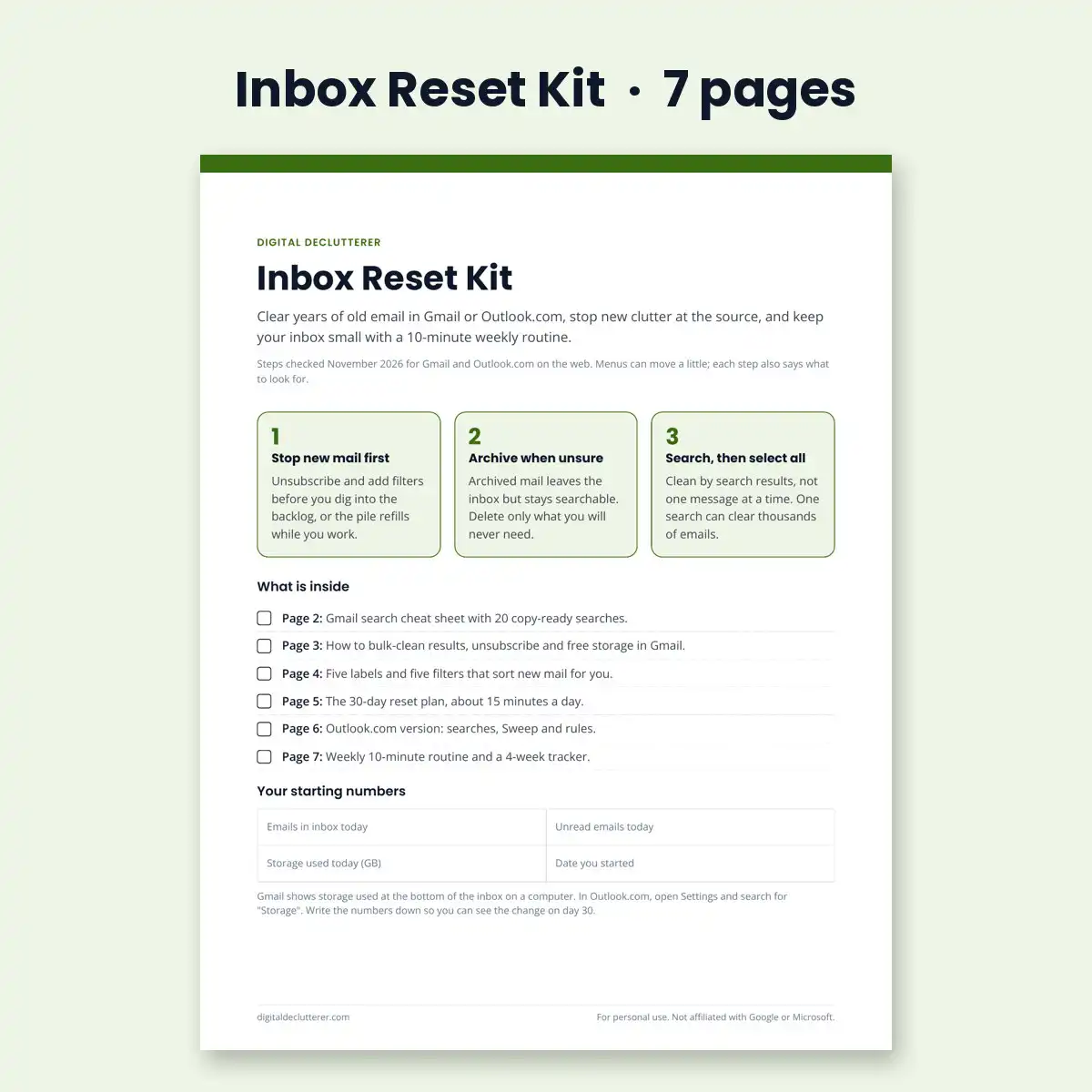


The fastest way to clear a Gmail or Outlook inbox with thousands of emails: stop new mail first with unsubscribes and filters, then delete or archive old mail by search, thousands at a time, and keep it clear with a 10-minute weekly review. This 7-page printable kit gives you the exact searches, filter settings and a 30-day plan to do it in about 15 minutes a day.
Deleting a few emails at a time never catches up, because new mail arrives faster than you clear the old. The kit fixes the order, then uses the tools already built into Gmail and Outlook, so you do not need an app that reads your email.
What is inside
- Gmail search cheat sheet: 20 copy-ready searches for old promotions, unread mail, big attachments and old sign-in codes, with what to do with each
- Bulk-clean steps: select every match at once, unsubscribe in one place and free Google storage, with a drawn diagram
- Five labels and five filters: exact settings for Receipts, Bills, Travel, Newsletters and auto-deleting old codes
- The 30-day reset plan: about 15 minutes a day, in an order that stops new clutter first
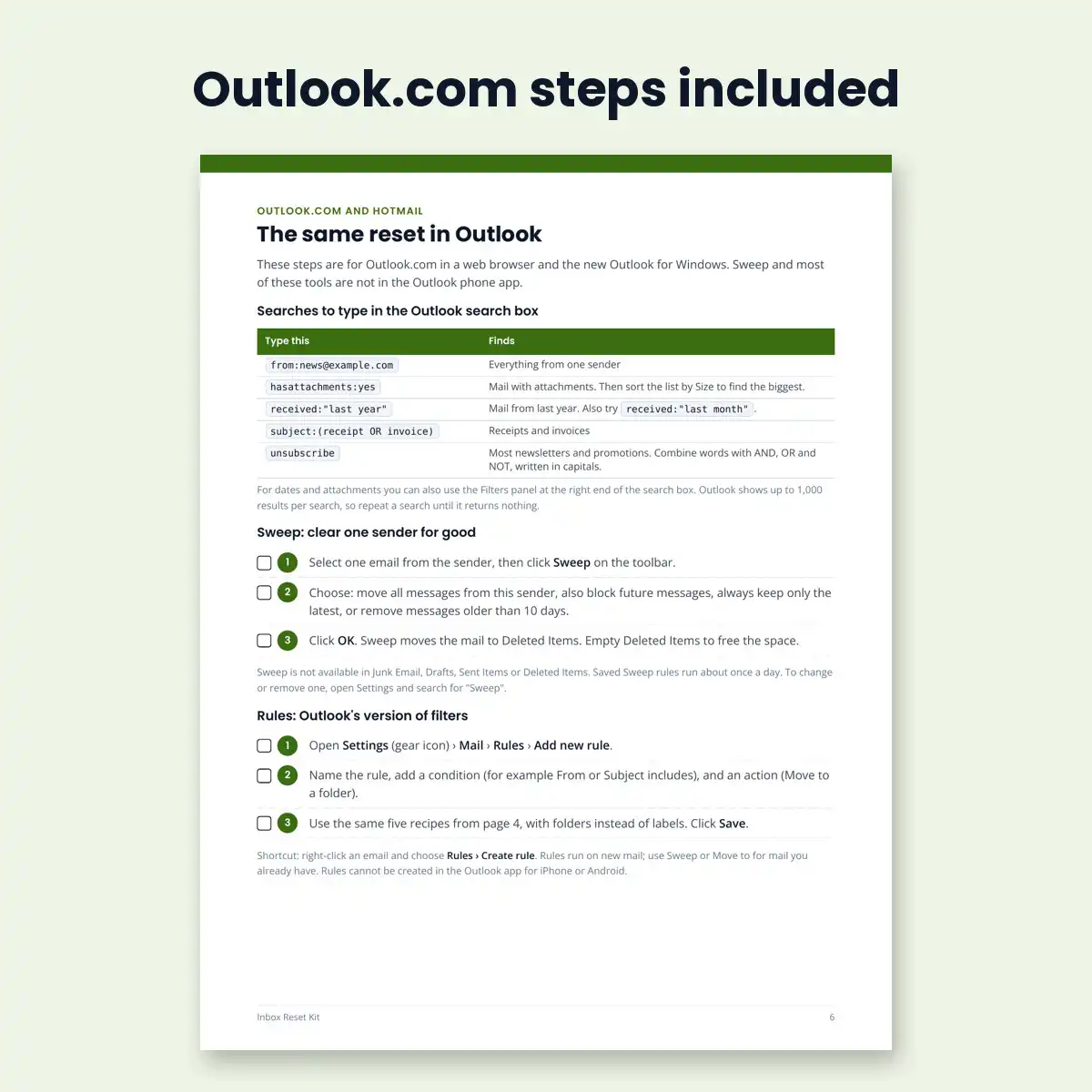
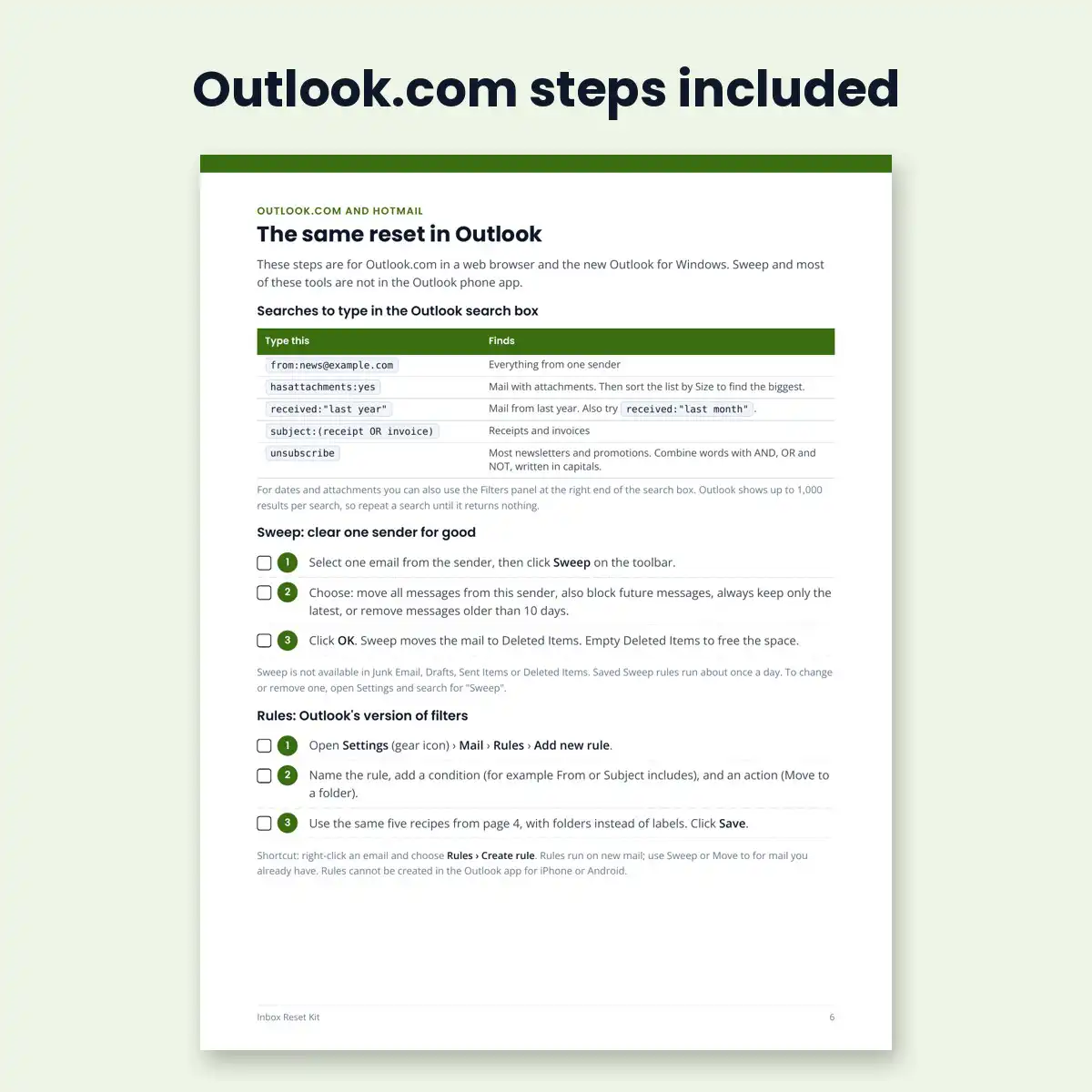
- Outlook.com and Hotmail page: matching searches, Sweep and inbox rules
- Weekly 10-minute review with a 4-week tracker and an “if something goes wrong” box
Who it is for
Anyone with a Gmail, Outlook.com or Hotmail inbox in the thousands, or a full Google storage quota, who wants it under control without a paid email app.
Questions
Will I lose important emails? The kit archives anything you are unsure about instead of deleting it, and checks starred and labeled mail before every bulk delete. Deleted mail stays in Trash for 30 days in Gmail.
Does it work on my phone? Unsubscribing and the weekly review work on a phone. Bulk cleaning and filters need Gmail or Outlook in a web browser on a computer.
Does it work for Yahoo or Apple Mail? The plan and routine work for any inbox, but the searches and filter steps are written for Gmail and Outlook.com.
Details
- PDF, US Letter, 7 pages
- Steps checked November 2026 for Gmail and Outlook.com on the web
- Instant download after purchase
- 30-day money-back guarantee. See our refund policy.
Prefer to start free? Read how to bulk-delete Gmail messages and how to unsubscribe in Gmail.
Free guides on this topic
- Gmail search cheat sheet: 12 searches
- How to set up Gmail filters and labels
- How to clean up an Outlook.com inbox
Not affiliated with Google or Microsoft. Gmail is a trademark of Google LLC. Outlook is a trademark of Microsoft Corporation.


Reviews
There are no reviews yet.