


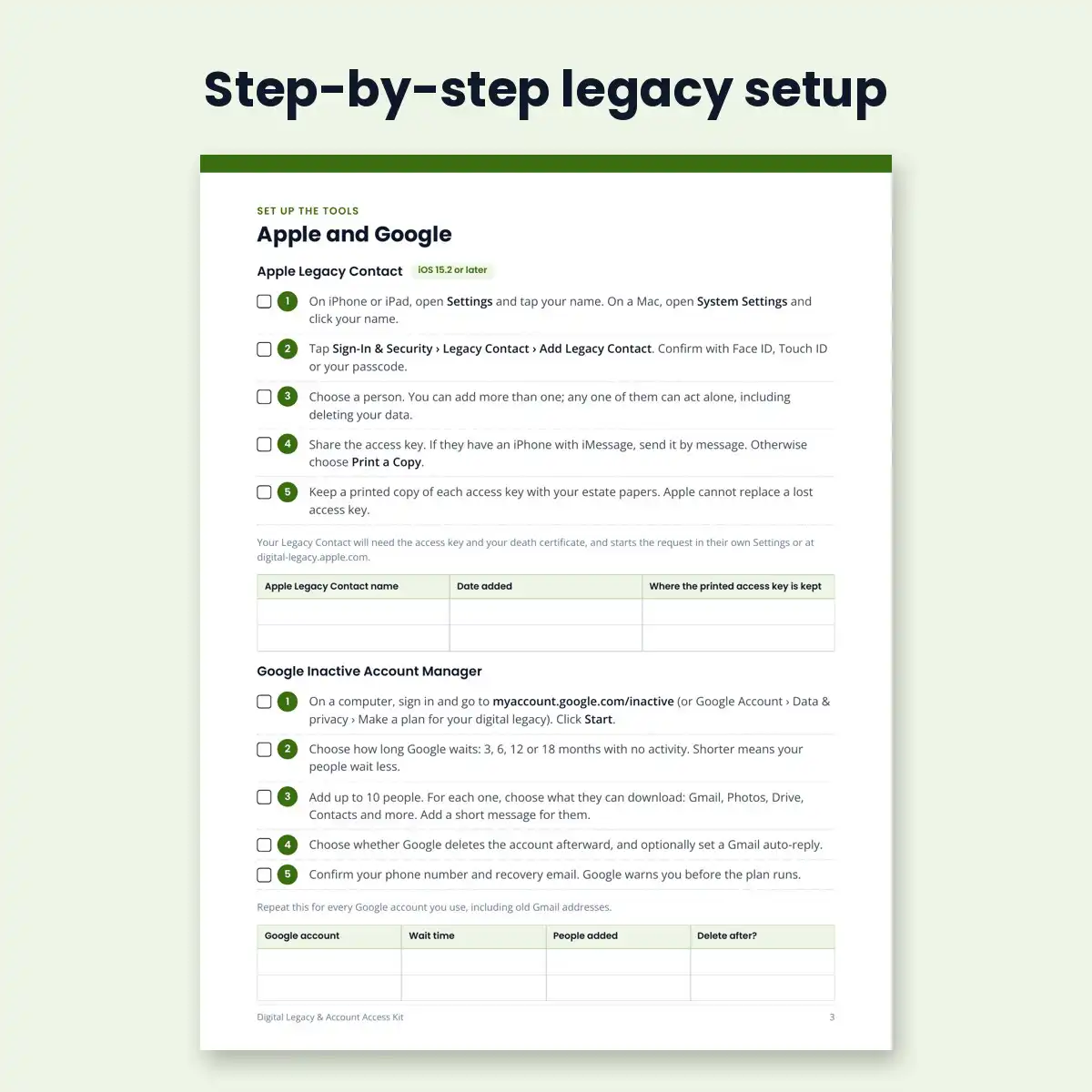
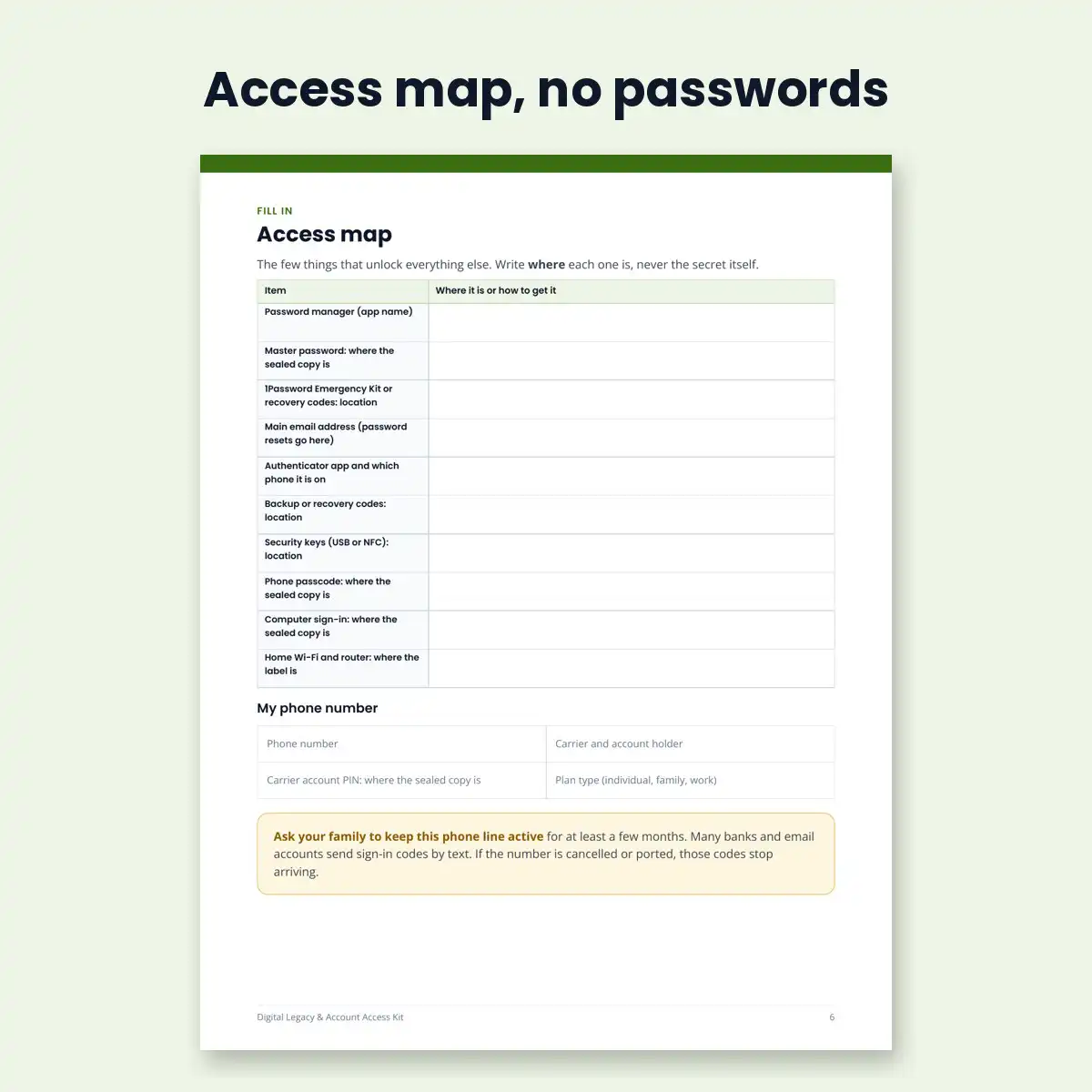
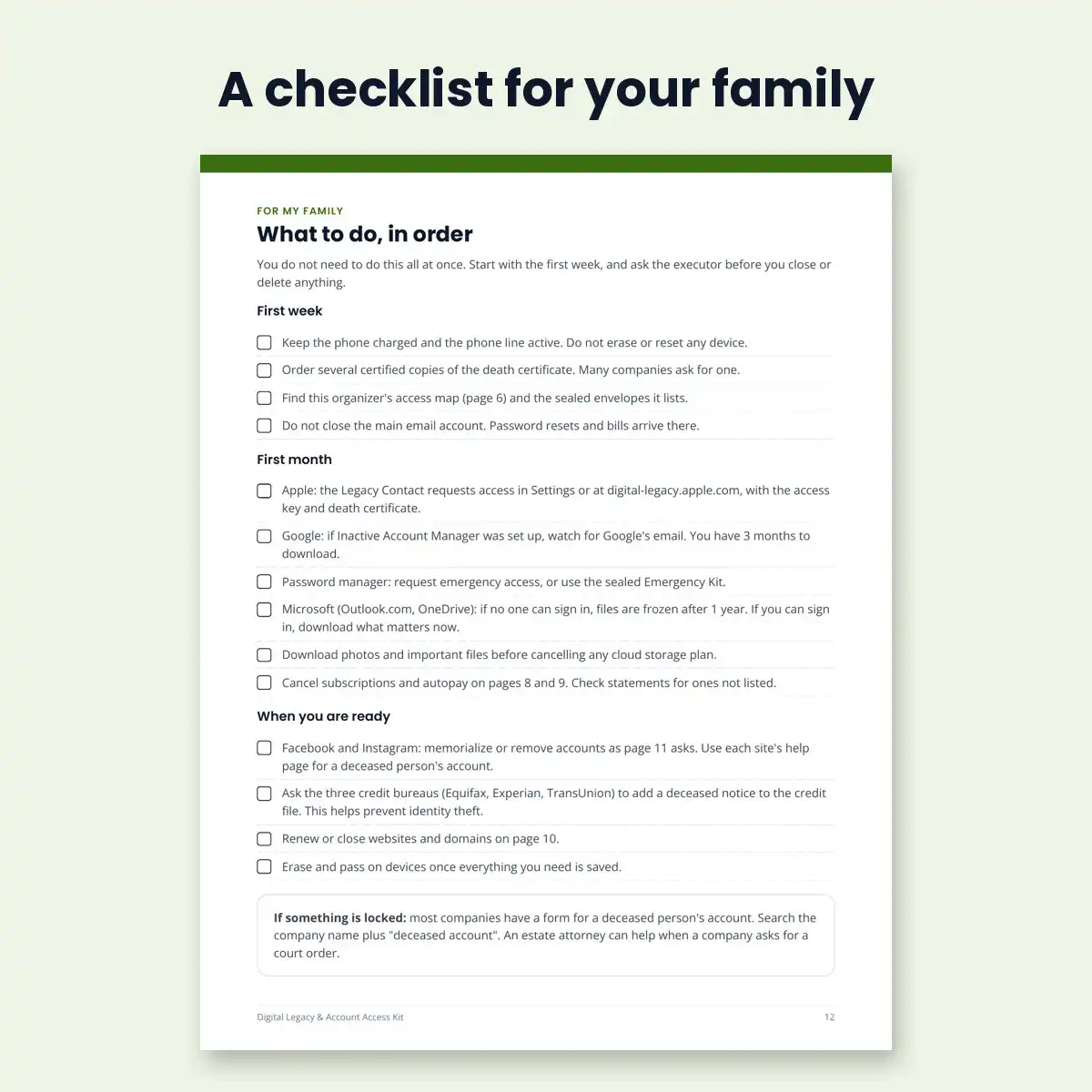
To make sure your family can reach your accounts after you die, set up the free legacy tools first: Apple Legacy Contact, Google Inactive Account Manager, a Facebook legacy contact and your password manager’s emergency access. Then write down where everything is, without writing down a single password. This 13-page printable organizer walks you through both, for US users.
Most families get stuck on three things: a locked phone, sign-in codes sent to that phone, and company rules that keep email and photos private even from next of kin. Knowing a password is often not enough.
What is inside
- How access works after a death: a plain-language summary of US rules (RUFADAA) and what Apple, Google, Facebook, Instagram and Microsoft each offer today
- Step-by-step setup for Apple Legacy Contact, Google Inactive Account Manager, Facebook legacy contact, and Bitwarden or 1Password emergency access
- Access map: where your password manager, recovery codes, authenticator app and phone passcode are kept
- Fill-in pages for your people, devices, backups, email, banks, investments and crypto, bills, subscriptions, shopping, social media, photos, websites and domains
- My wishes page for social media, email, photos and things to delete
- A checklist for your family: what to do in the first week, first month and later
- Yearly review log
Built to be safe
The kit never asks for passwords or account numbers. It records where things are and who can reach them, so a lost copy does not unlock your accounts.
Questions
Is this a legal document? No. It is an organizer and general information. Your will, trust or power of attorney should come from a licensed attorney in your state; the kit tells you what to ask them to include.
Do I need a password manager? No, but it makes things far easier. The kit shows how to set up emergency access if you have one, and a sealed-envelope method if you do not.
Can I fill it in on screen? It is designed to print and fill in by hand, then keep with your important papers.
Details
- PDF, US Letter, 13 pages, made for US users
- Steps checked November 2026; free updates when the steps change
- Instant download after purchase
- 30-day money-back guarantee. See our refund policy.
Free guides on this topic
- How to set up legacy contacts on iPhone, Google and Facebook
- What happens to your accounts when you die
- Password manager emergency access
- Digital estate planning checklist
This kit is an organizer and general information, not legal advice. Not affiliated with Apple, Google, Meta, Microsoft, Bitwarden or 1Password.


Reviews
There are no reviews yet.