
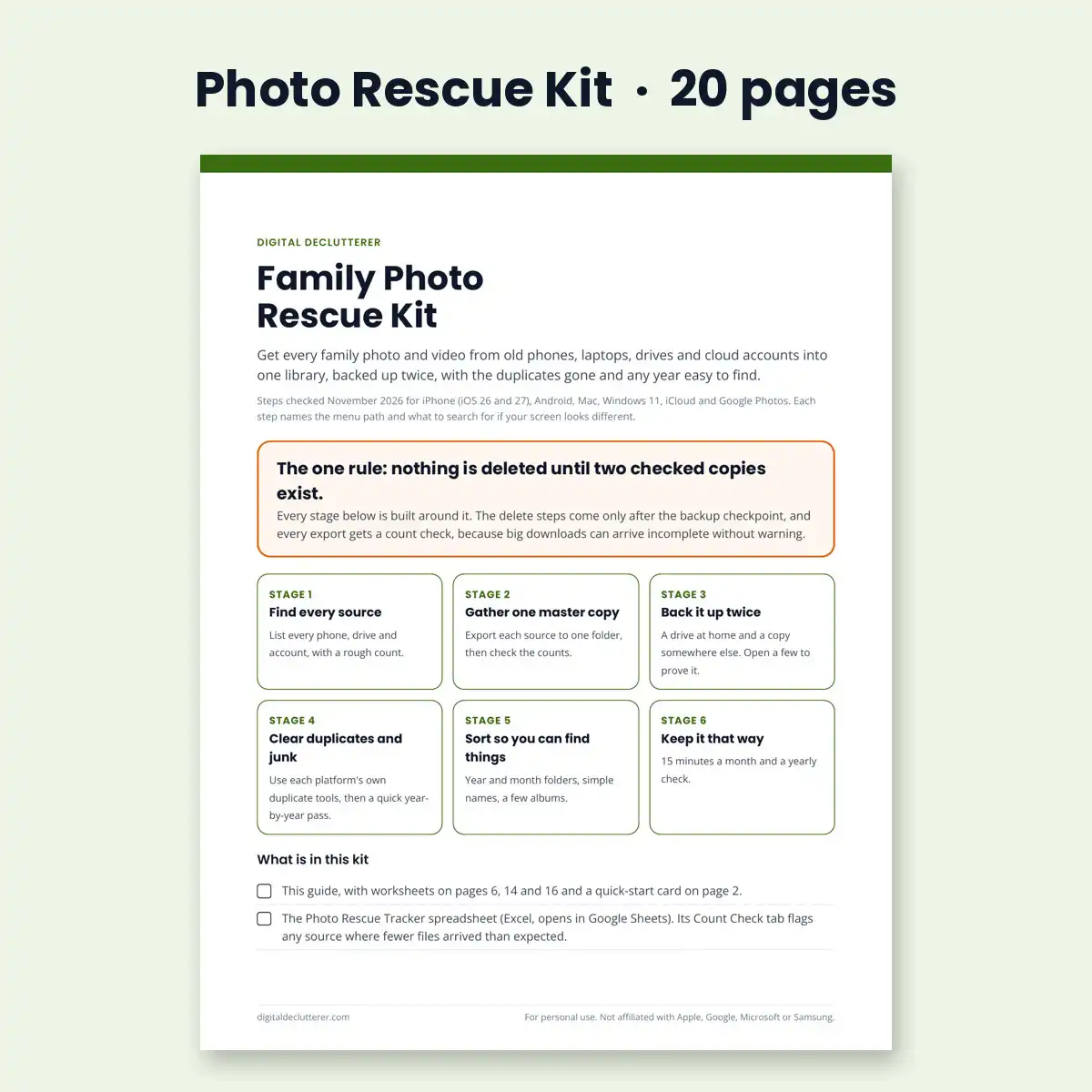


To organize and protect family photos, gather every phone, computer and cloud account into one master copy, check the counts, back it up twice, then clear duplicates and sort by year and month. This kit walks you through each stage on iPhone, Android, Mac and Windows, with real screenshots of the Google Takeout and iCloud exports and a spreadsheet that catches missing files.
Family photos end up everywhere: two or three phones, an old laptop, a USB drive in a drawer, iCloud, Google Photos and a relative’s camera roll. One dead phone or full cloud account can take years of pictures with it.
The one rule
Nothing is deleted until two checked copies exist. Every export gets a count check, because big downloads from Google and Apple can arrive incomplete without warning.
What is inside
- 20-page Photo Rescue Guide in six stages: find every source, gather one master copy, back it up twice, clear duplicates and junk, sort into folders, keep it that way
- Real screenshots for Google Takeout, iCloud.com and Apple’s privacy.apple.com copy request, plus drawn diagrams for phone settings and folder layout
- Steps for every device: iPhone, Android, Mac and Windows 11, by cable and from the cloud, plus old drives, memory cards, WhatsApp, Facebook and relatives
- Worksheets: sources inventory, count check and backup log, plus a printable quick-start card
- Photo Rescue Tracker spreadsheet (Excel, opens in Google Sheets): flags any source where fewer files arrived than expected and any backup that does not match the master
- A message template for asking relatives for their photos, and a troubleshooting page for missing files, HEIC photos and wrong dates
Who it is for
The family “photo keeper” with thousands of photos and videos in several places who wants one complete, backed-up library without paying a professional organizer or a monthly membership. It is not for Lightroom workflows, and it does not cover scanning prints.
Questions
Will this delete my photos? No step deletes anything until two checked copies exist.
Do I need to pay for cloud storage? No. The kit shows a two-drive option with no monthly fee, and when a cloud plan makes sense.
I have 80,000 photos. Is that too many? No. The tracker splits the work by source and year, and big exports only take longer to download, not more of your time.
Details
- PDF guide (US Letter, 20 pages) plus an .xlsx tracker
- Steps checked November 2026; free updates when Apple or Google change their menus
- Instant download after purchase
- 30-day money-back guarantee. See our refund policy.
Short on space right now? Start with our free guides: iCloud storage full: what to delete first and how to free up Google Photos storage.
Free guides on this topic
- How to download all your photos from iCloud and Google Photos
- How to back up family photos with the 3-2-1 rule
- How to organize family photos into folders
Not affiliated with Apple, Google, Microsoft, Samsung or Meta.


Reviews
There are no reviews yet.